My HERE4 is connected to a Pixhawk 6C Mini via DroneCAN. With the Pixhawk connected to Mission Planner, I forwarded the GNSS data to u-center over a network connection.
As a result, I was able to receive GNSS data in u-center and confirm that the receiver had achieved a 3D Fix. However, my current position is not displayed on the Mission Planner map, and it appears that Mission Planner is not receiving valid position data.
Current Setup and Status
Flight Controller: Pixhawk 6C Mini
GNSS Module: CubePilot HERE4
Connection: DroneCAN (CAN bus)
u-center: GNSS data is received, and a 3D Fix is confirmed.
Mission Planner: My current position is not displayed on the map.
Since GNSS data is available in u-center and a 3D Fix is confirmed, I would like to understand why my position is not displayed in Mission Planner.
Questions
Does receiving GNSS data in u-center through Mission Planner’s network connection confirm that the HERE4 and Pixhawk are communicating correctly via DroneCAN?
Could this issue be caused by GPS-related parameters, DroneCAN configuration, or a compatibility issue between the HERE4 firmware and the ArduCopter firmware?
Which parameters or messages in Mission Planner should I check to identify the cause?
Is there a way to independently verify whether the Pixhawk is receiving valid GNSS position data from the HERE4, regardless of what is displayed in u-center?
I would appreciate any advice on how to troubleshoot and resolve this issue.
What parameters do you have set for CAN , SERIAL and GPS ?
What colours do the Here4 LEDs flash during startup?
Which CAN connector do you have plugged in to which CAN port on the 6C ?
I changed the following parameters based on the information provided on this website
CAN_D1_PROTOCOL: 1
CAN_D2_PROTOCOL: 1
CAN_P1_DRIVER: 1
CAN_P2_DRIVER: 1
GPS_TYPE: 9
NTF_LED_TYPES: 231
I also changed SERIAL1_BAUD to 38.
When I power on the system, the HERE4 LED briefly lights up purple, then changes to blue and finally green.
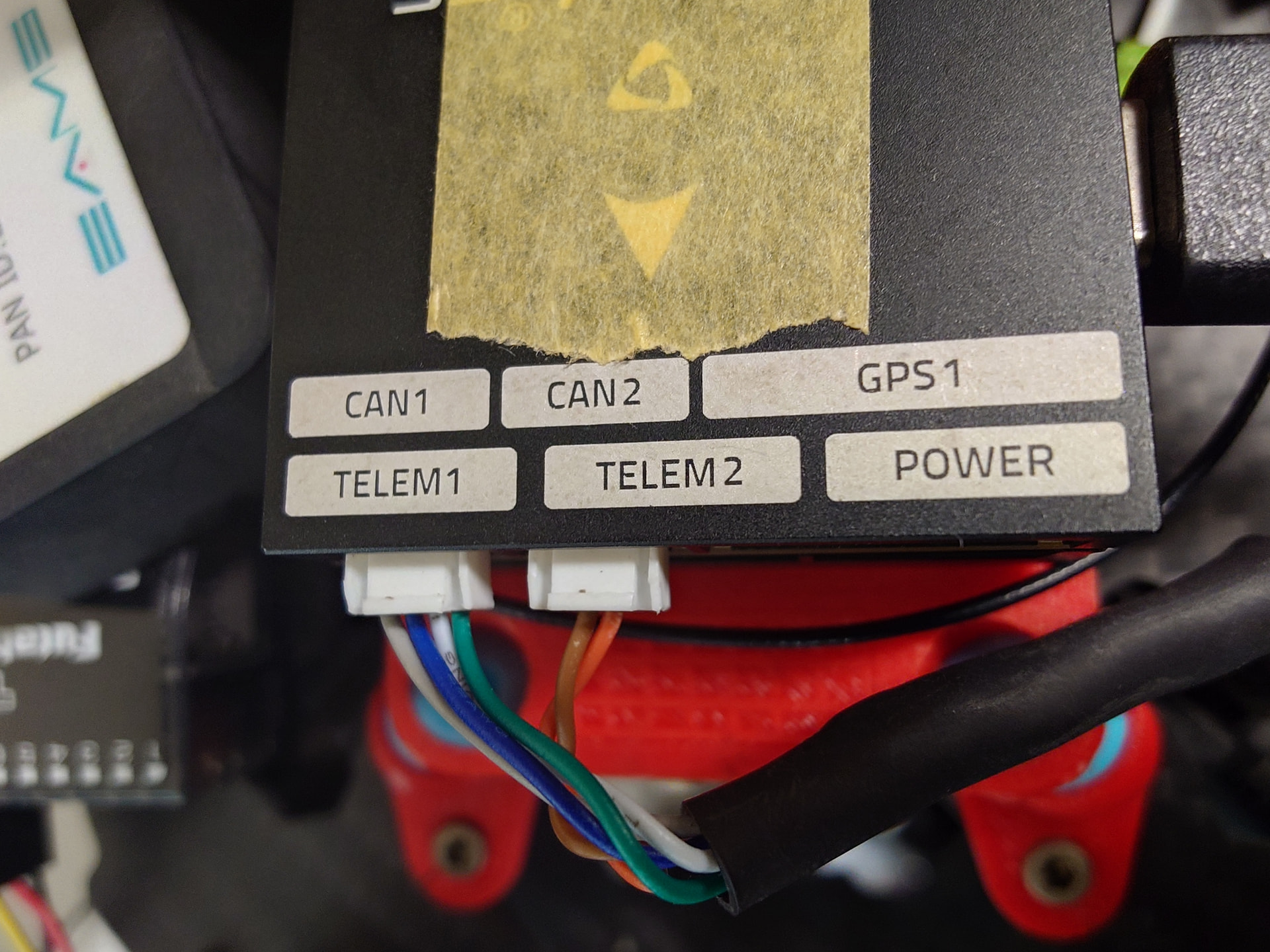
I have connected the two CAN cables coming from the HERE4 to both CAN1 and CAN2, as shown in the attached image.
Is this LED behavior normal? Are my parameter settings and CAN connections correct?
The Here4 LEDs may briefly flash red, then go purple or breathing purple. Once the flight controller is up and running and the Here4 has a valid CAN connection the LEDs will end up flashing yellow for disarmed. They will go to flashing green for GPS 3D fix, then solid green for armed.
Even after the flight controller has finished booting, the HERE4 LED continues to blink yellow twice repeatedly.
When I connect to u-center over the network using “CANPassThrough Here3+/4”, the position information is visible in u-center.
I am testing the system with only the flight controller and HERE4 connected via CAN. Mission Planner displays messages such as:
EKF3 waiting for GPS config data
PreArm: EKF attitude is bad
Why can I see the position information in u-center while the HERE4 LED continues to blink yellow twice? Could this indicate a problem with the DroneCAN connection or the GPS configuration on the flight controller?
Thank you for your reply.
I have set LOG_DISARMED to 1 and attached the .bin log file recorded while the flight controller was connected to Mission Planner for approximately 3 minutes.
The HERE4 was connected to the flight controller via DroneCAN during this test.
Could you please check the log and help me identify why EKF3 is not starting?
Also, can the GPS fail to be recognized by ArduPilot because EKF3 is not starting?
The EKF not going active is not an issue with regards to discovering and using the Here4 and getting data.
The problem appears to be the Here4 is not detected at all. I’m not sure why since your photo of the connections looks reasonable.
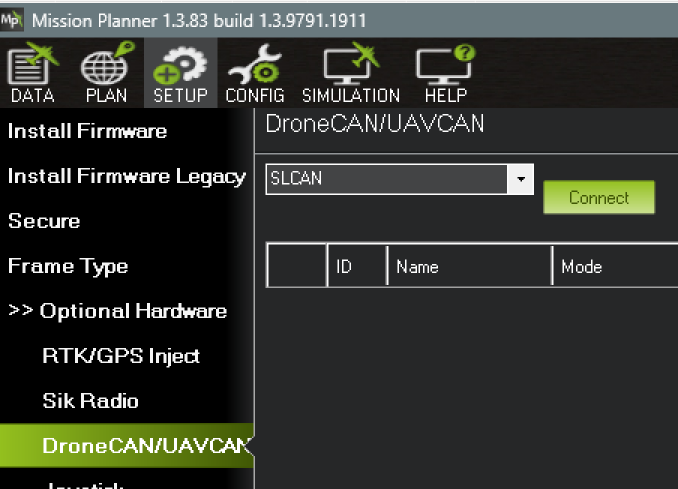
In MissionPlanner go to the Setup/Optional…/DroneCAN section and do “Connect”
Also there are no compasses enabled, this is not a road block right now, but it will be eventually.
Battery setup is not complete, let me know if you need help with the details there. It can easily be fixed by going to the “Initial Parameters” in MissionPlanner, enter your prop size and battery cell count and accept everything it offers. If you dont have a multirotor, you can still accept all the battery settings. Only parameters that need changing will be shown.
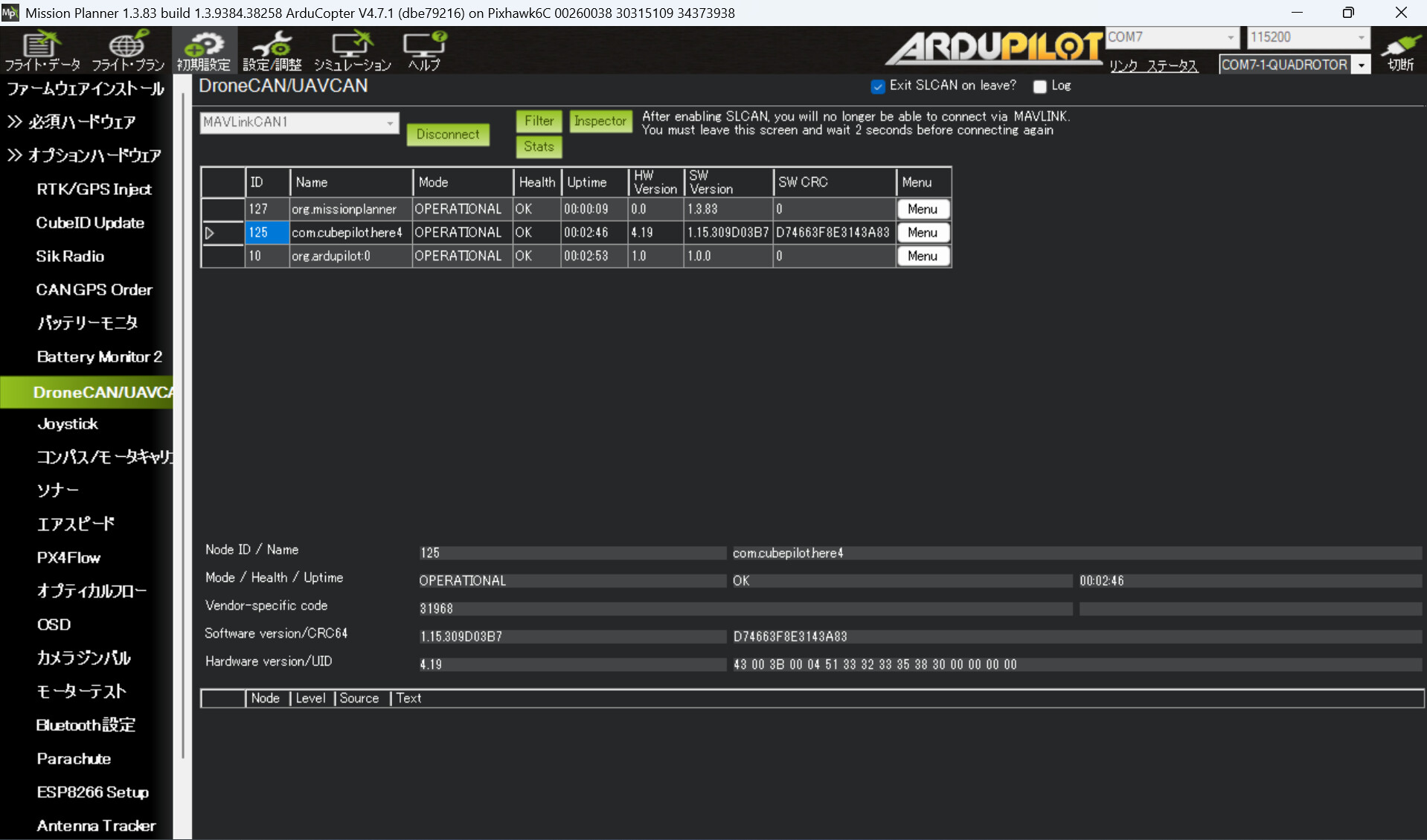
I have attached a screenshot of the DroneCAN page.
HERE4 (Node ID: 125) is displayed on the screen. Please take a look.
Also, could the antenna or the firmware versions of Mission Planner or ArduCopter cause the HERE4 to not be detected at all?
The LED changes from purple to blue and then to yellow after powering on.
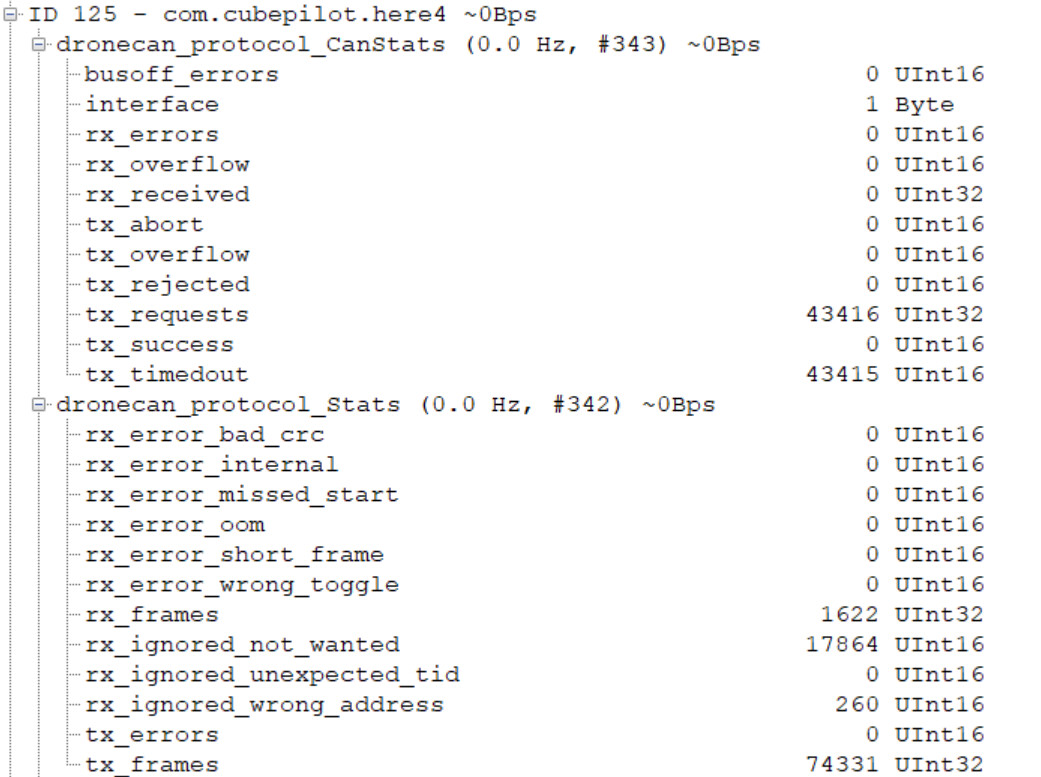
This is a screenshot of the UAVCAN Inspector screen. Can you tell anything from this information?
When you connect through u-center, the GNSS receiver’s serial data is passed through to your computer under lock when connected via mission planner and isn’t processed by the Here4 at the same time. That’s why you can see the fix in u-center without seeing it on the Here4.
There is unlocked mode that you can use when using DroneCAN GUI Tool, but it still might not work reliably as both mcu and u-center might end up fighting for configuration.