If you have purple breathing LEDs there’s a good chance the Here4 updated (or not) and the incorrect CAN interface is in use. Check through my process below and you may be in luck.
Solid white LEDs are unrecoverable without the correct cable
All of the Here4’s I’ve seen so far, the CAN1 connector is the one with wires green, white, blue, grey, and should be used for performing the update
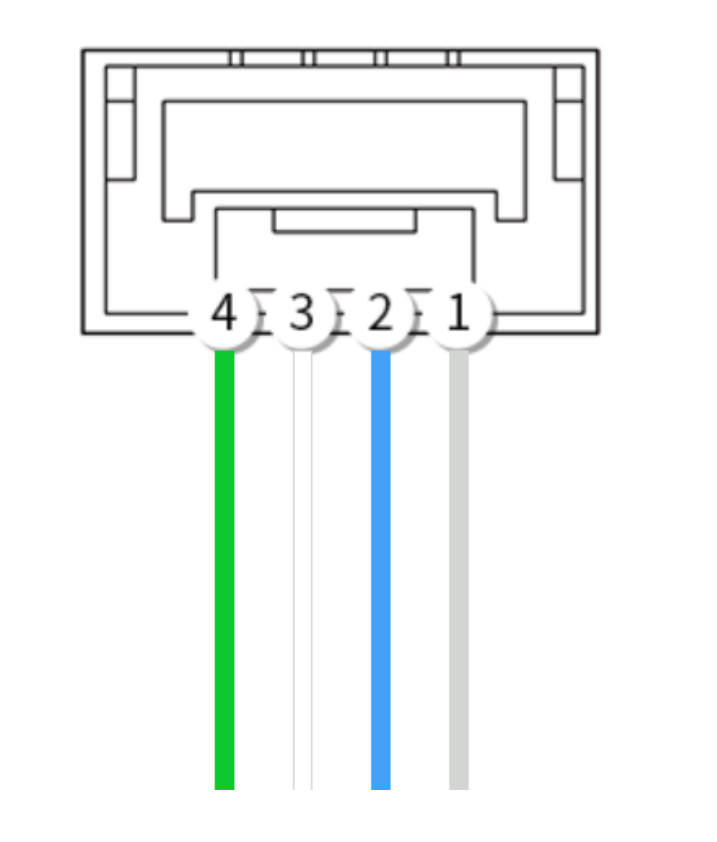
After the update the CAN2 port (red, orange, brown, black) will NOT work.
If the update was attempted via the real CAN2 port then you wont be able to reconnect to the Here4 and you may incorrectly assume it’s now bricked even though LEDs are breathing purple.
I suspect the update does not complete correctly either.
The procedure I’ve been using is:
- check the CAN connector and swap to the real CAN1 if necessary
- follow official instructions to use the SLCAN interface to do the update to 1.15
- wait some time for the Here4 to reconnect, or it may even go to breathing purple LEDs
- reconnect to the Here4 via SLCAN and set the bootloader update parameter - may require a reboot of the FC or Here4 or both to access the Here4
- wait a few seconds (I’m unsure if the bootloader updates immediately or after reboot)
- power cycle the FC and Here4 together
- in SLCAN check the firmware version and do some reboots and power cycles to confirm operation
- confirm presence of the compass and correct order
Note that previous GNSS units, Here3 and so on, have the CAN port wire colours reversed so CAN1 is red, orange, brown, black and CAN2 is green, white, blue, grey as per the original documents.