Hello.
I recently purchased a Cube ID CAN version. However i am struggling to make it work.
The reason for it is that i am not sure i understand the manual completely.
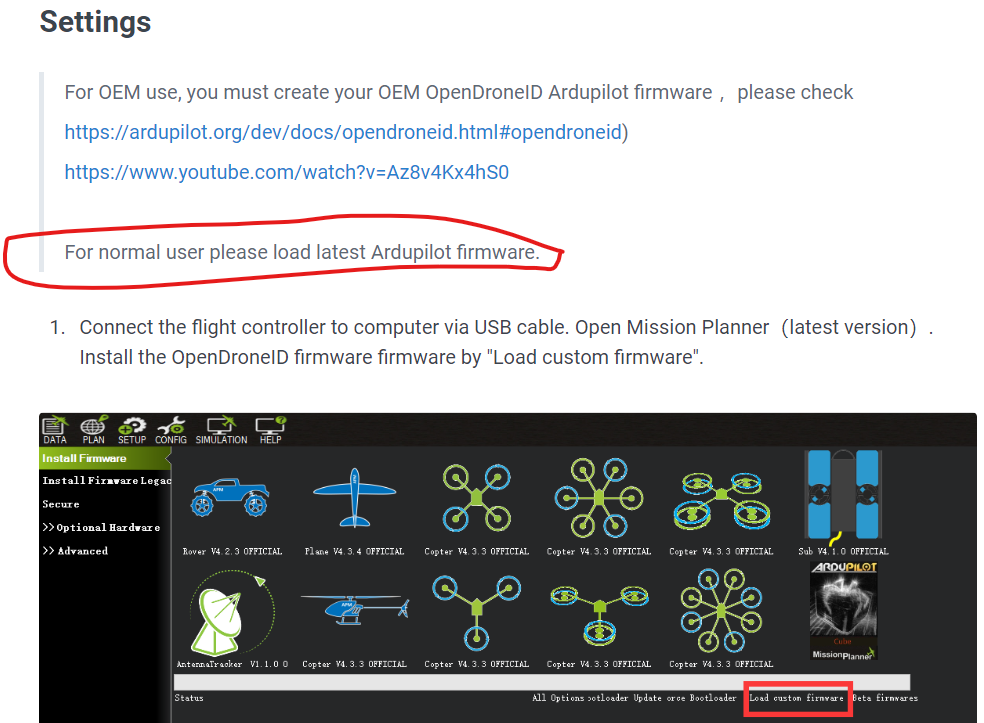
According to this section:
i thougt, that you dont have to build arducopter firmware yourself, but latest arducopter firmware has the opendroneid cabality already enabled. (i tried latest stable / latest beta) with cube black and also cube orange.
Then i thought you just open parameter list and do enable DID_enable (but its missing), so i thougt, ok, i need to upload custom firmware like its stated in step 1. However there is no dowlonad link for that firmware.
So my questions is. in order to make CUBE id work do i have to build custom firmware even though its clearly stated in manual that for normal users load latest ardupilot firmware?
Or what am i missing?
Thank you
Just another user out here, but I had to build custom firmware, so I think it shouldn’t say that bit about a “normal user please load latest Ardupilot firmware”.
I created the custom firmware at custom.ardupilot.org, specified my vehicle, version, and board, and enabled “OpenDroneID (Remote ID)” in the options. Took about 2-3 minutes to generate it for my combo (copter/4.5.7/CubeOrangePlus), and then I could download the individual files and load via the “Load Custom Firmware” that you point out. Load the APJ file.
That unlocked the DID_ENABLE I needed, which unlocked the rest of the DID settings.
I also needed to enable the Beta updates in mission planner (Top Bar “HELP” → “Check for BETA Updates”) to get access to the “Drone ID” tab in the DATA screen. But I had to right click on the tabs and choose Customize to enable it.
This device is for Drone Manufacturers to comply with FAA “STANDARD” Remote ID.
It is not designed for hobby or commercial users to comply with FAA “BROADCAST” Remote ID.
Please see this link for more DroneID information:
https://www.faa.gov/uas/getting_started/remote_id