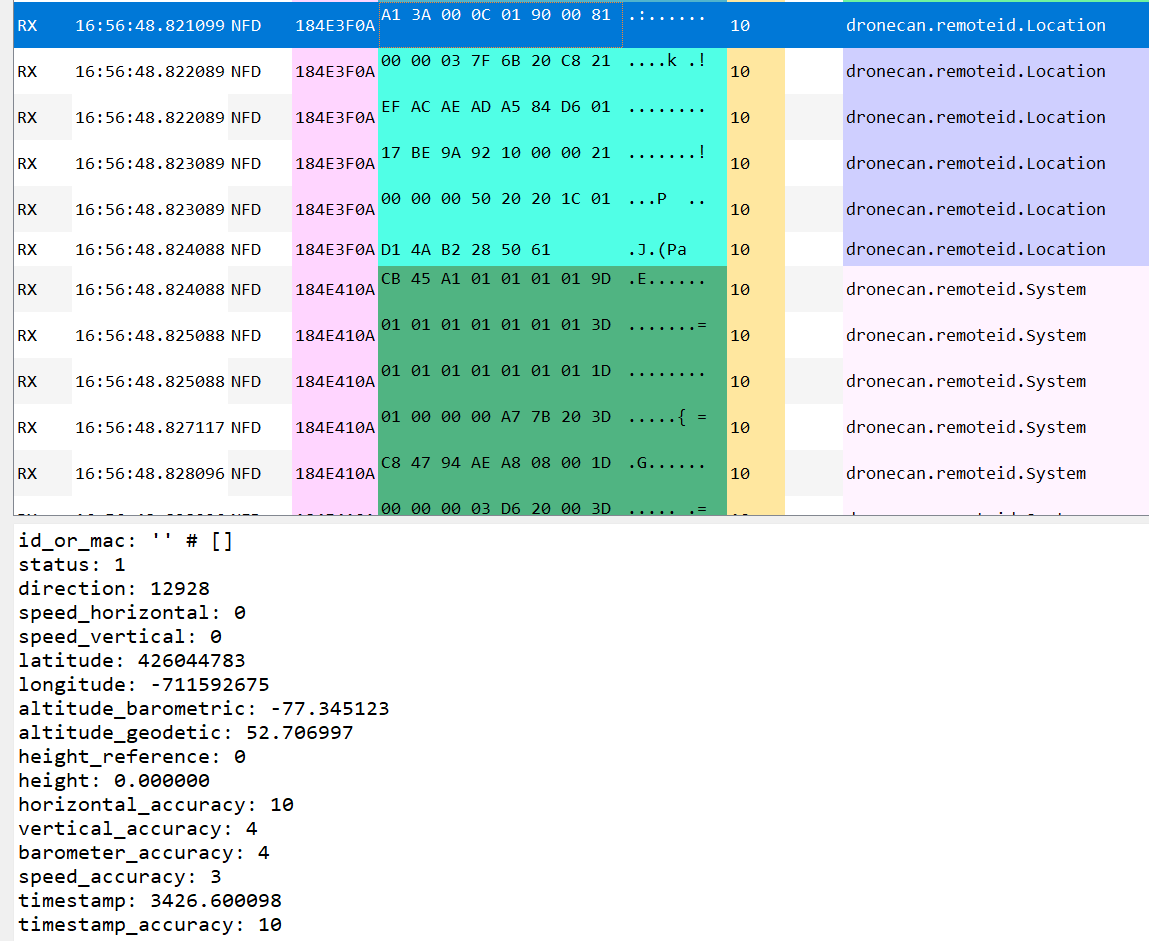
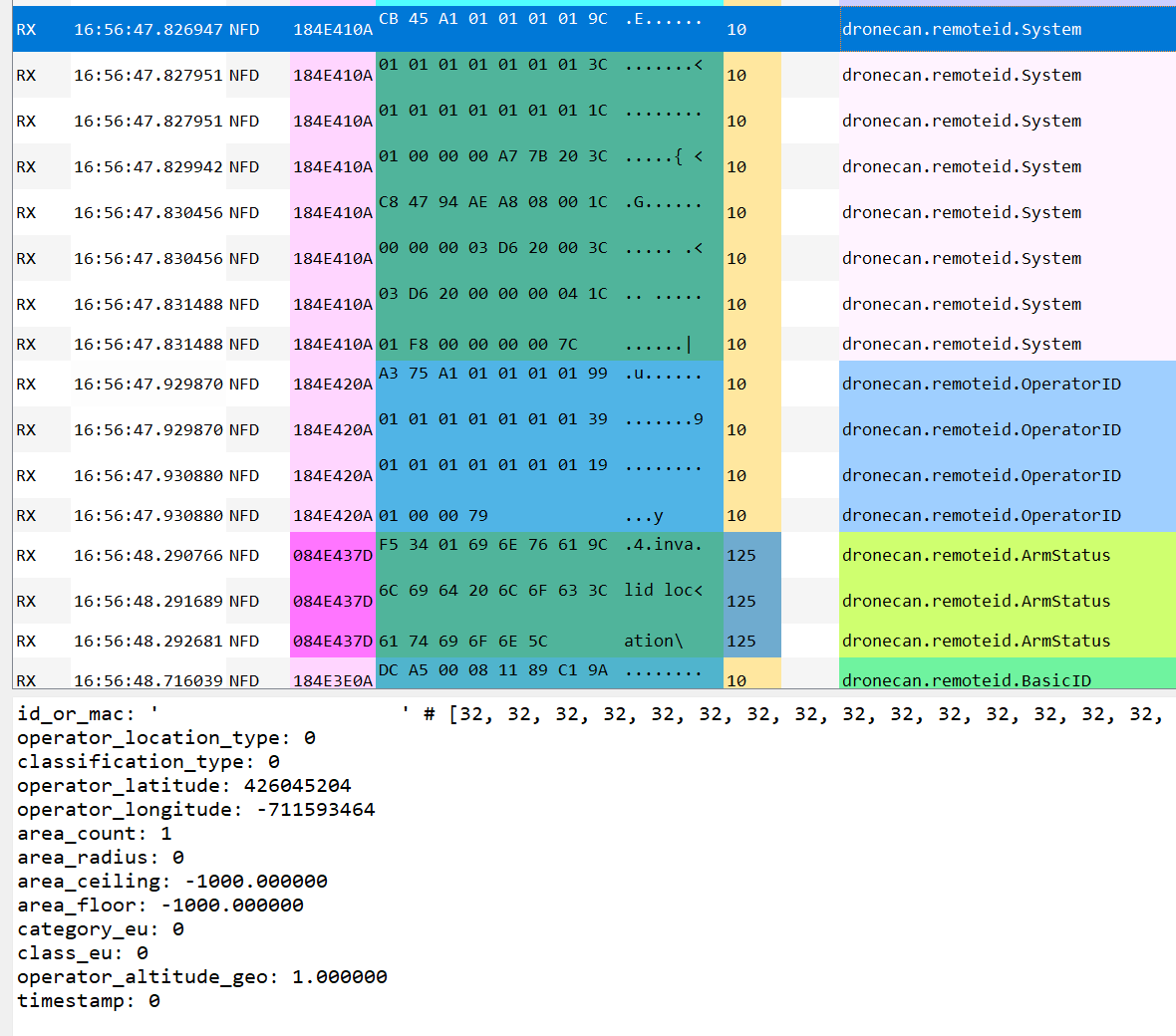
We recently starting experiencing some issues with the CubeID module that is in the Here4 Blue. Once in every 5 bootups or so, the ODID module prevents the vehicle from arming despite the fact that all the required information is there. The error is shown as “Invalid location”. Today, we got a system in the faulty state and started sniffing the CAN messages. I have attached an example of what it looks like for the system, location and arm messages. We cannot figure out what the issue is. Thre clearly is location data for both operator and vehicle. Have you seen this before or know what will cause this message. I cannot determine if it is upset about the Vehicle location or the operator location from that message.

HI Ben
seems like i am not alone 
did you find anything that might help resolve this?
@guyzoler unfortunately I have not heard back from CubePilot yet
I assume this is happening with ArduPilot, right? Or also PX4?
@JulianOes ArduPilot but I can’t confirm or deny it happening on PX4
@bendraper00 Can you please check if any of the following hold true for when it fails.
https://github.com/opendroneid/opendroneid-core-c/blob/master/libopendroneid/opendroneid.c#L316-L349
    if (!outEncoded || !inData ||
        !intInRange(inData->Status, 0, 15) ||
        !intInRange(inData->HeightType, 0, 1) ||
        !intInRange(inData->HorizAccuracy, 0, 15) ||
        !intInRange(inData->VertAccuracy, 0, 15) ||
        !intInRange(inData->BaroAccuracy, 0, 15) ||
        !intInRange(inData->SpeedAccuracy, 0, 15) ||
        !intInRange(inData->TSAccuracy, 0, 15))
        return ODID_FAIL;

    if (inData->Direction < MIN_DIR || inData->Direction > INV_DIR ||
        (inData->Direction > MAX_DIR && inData->Direction < INV_DIR))
        return ODID_FAIL;

    if (inData->SpeedHorizontal < MIN_SPEED_H || inData->SpeedHorizontal > INV_SPEED_H ||
        (inData->SpeedHorizontal > MAX_SPEED_H && inData->SpeedHorizontal < INV_SPEED_H))
        return ODID_FAIL;

    if (inData->SpeedVertical < MIN_SPEED_V || inData->SpeedVertical > INV_SPEED_V ||
        (inData->SpeedVertical > MAX_SPEED_V && inData->SpeedVertical < INV_SPEED_V))
        return ODID_FAIL;

    if (inData->Latitude < MIN_LAT || inData->Latitude > MAX_LAT ||
        inData->Longitude < MIN_LON || inData->Longitude > MAX_LON)
        return ODID_FAIL;

    if (inData->AltitudeBaro < MIN_ALT || inData->AltitudeBaro > MAX_ALT ||
        inData->AltitudeGeo < MIN_ALT || inData->AltitudeGeo > MAX_ALT ||
        inData->Height < MIN_ALT || inData->Height > MAX_ALT)
        return ODID_FAIL;

    if (inData->TimeStamp < 0 ||
        (inData->TimeStamp > MAX_TIMESTAMP && inData->TimeStamp != INV_TIMESTAMP))
        return ODID_FAIL;
Definitions are as follows:
@sidbh So per my screenshot above, this header would suggest that the lat, lon, and dir are all out of range. But the mavlink c library says lat and lon should be degE7 and direction in cdeg. Do you know if the inData is processed to rescale all the values or is it raw from whatever is sent from the flight controller?
Hi @bendraper00 , ignore the scaling, that is being applied as it would for a mavlink message. Also please share version of Here4 firmware is running on the unit?
@bendraper00 Thinking further on it, I think this might be caused by valid location message timeout, we need to receive a valid location every 3s, even a single packet loss can cause a trigger of invalid location. Does this issue comes and goes, or is it sticky?
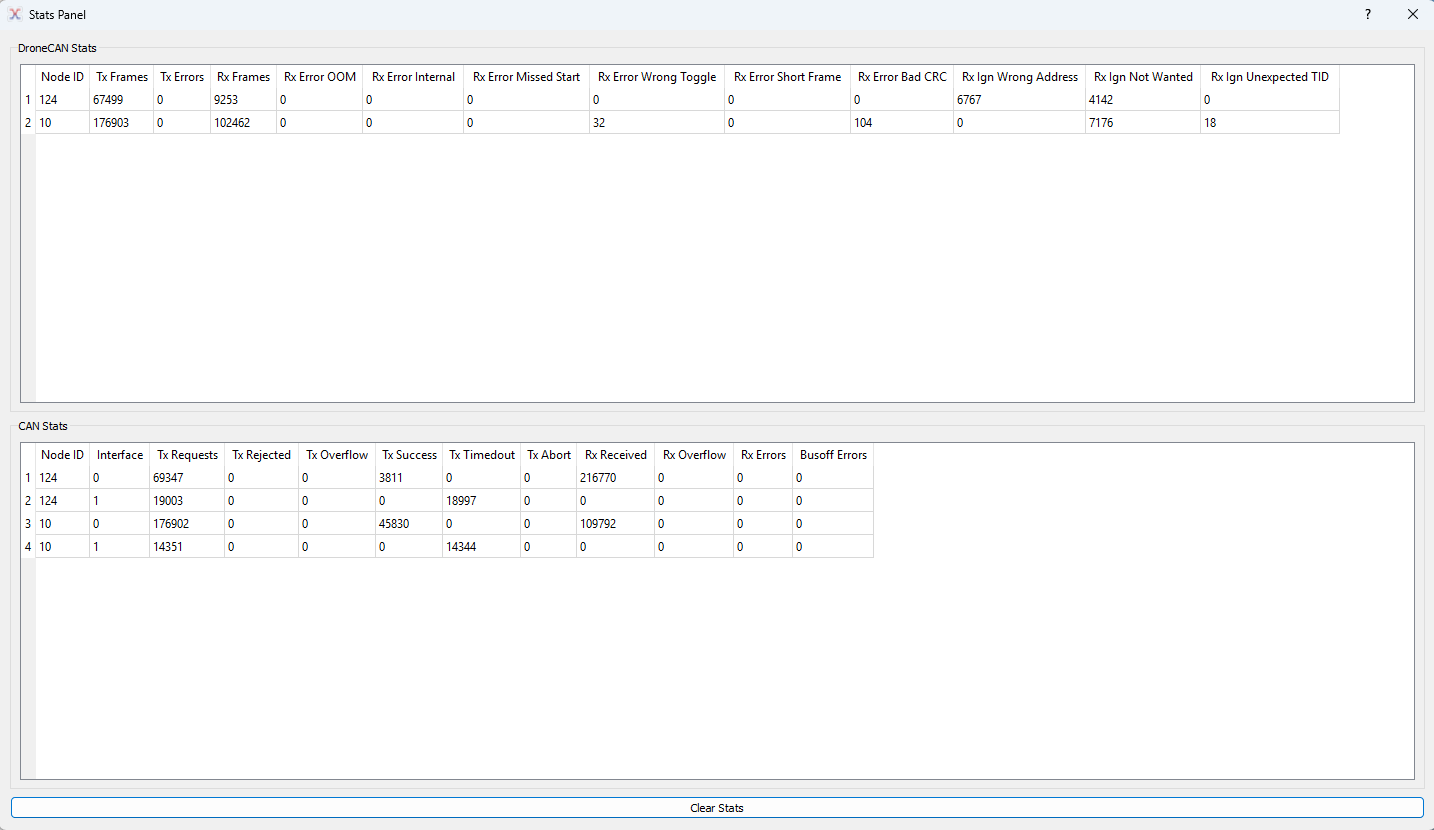
I would verify CAN bus health, to do so please set parameter DEBUG to 4 on Here4 and CAN_D1_UC_OPTIONS to 256 on Ardupilot, and share the results from Node Status panel.
In subscriber panel you can select Location message and verify if the update rate stays 1Hz or above.
HI @sidbh
We have multiple drone affected by this, running latest 1.15.3 HERE4 Blue.
If it is still relevant i can try get this debug data.
Very Sticky so far the only way i found to get rid of it is power cycle the drone.
Agreed, it is sticky. My lack of a response is due to the fact that I am struggling to reproduce the issue recently so @guyzoler if you’re able to get that data that would be great. I’ll continue trying to reproduce as well


@guyzoler The image you shared above dronecan.remoteid.ArmStatus doesn’t seem to show any error. Does this change during operation? What is the error message that appears for you?
Hi @sidbh
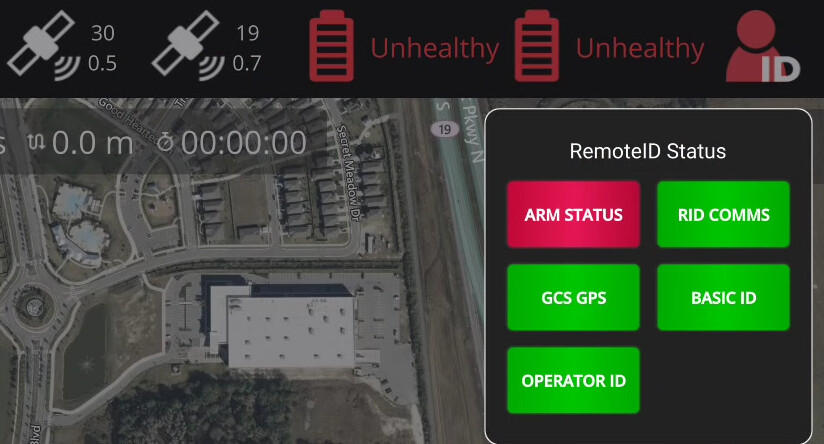
I see that, but while taking these mission planner was giving “PreArm: OpenDronId: Invalid Location”.
Can it be latching downstream? this was preventing Arming so the AP considered it active failure.
Hello, I ran into the exact same issue described above, on an ArduCopter 4.5.6 system, with a Here4 Blue over CAN and a Cube Blue.
It is also sticky for me. Intermittently happens, but when it does, it never goes away until reboot.

Here are the Here4 Blue version:

I suspect that maybe sending RTK corrections too early right when the drone is done booting up might be the trigger, because I’ve only seen this issue when sending corrections to the drone, but I could be wrong.
Nope, it happens even when RTK corrections are not being sent, AND also RID doesn’t get emitted at all while it’s happening
I definitely see it happen more when sending corrections as well, i had occasions where it lasted over multiple reboots few times.